What Google Ask Maps means for local businesses
For years, attracting new patients on Google Maps meant optimizing for basic keyword searches like “dentist near me” or “emergency dental clinic.” Today, patient search behavior is shifting fast. If you want to get recommended by Google’s Ask Maps, read on. This is a fairly new feature and is important for local search optimization.
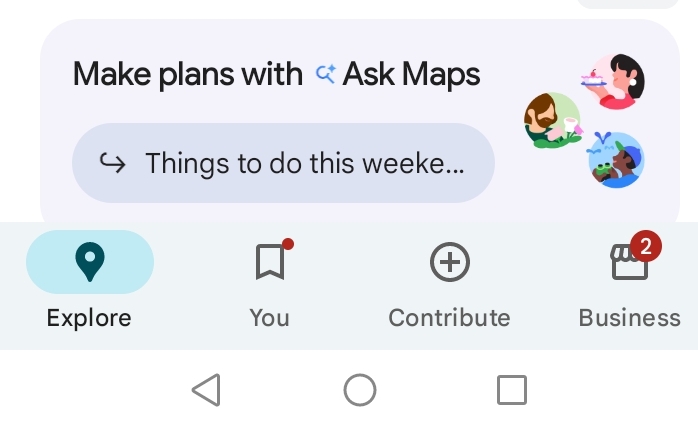
With the rollout of Ask Maps, a conversational, Gemini-powered feature built directly into Google Maps, patients are no longer scrolling through long directories of clinics. Instead, they are asking complex, high-intent questions like:
- “Where can I find a gentle dentist open on Saturdays who takes my insurance?”
- “Who does same-day emergency root canals near me?”
- “Find a pediatric dentist with great reviews for anxious kids.”
In response, Ask Maps acts like a personal healthcare concierge. Instead of showing twenty clinics, it narrows the options down to 3 to 8 curated recommendations and explains why each practice fits the patient’s specific needs. So it’s a little more challenging to get recommended by Google’s Ask Maps. Let’s make it a little easier for you:
Because you cannot buy ad placement inside Ask Maps (yet?), earning a spot in those top picks comes down to giving Google’s AI clear, trustworthy data about your clinic. Here is how dental practices can optimize their online presence to attract more patients.
1. Detail Every Service, Specialty, and Clinic Attribute
Healthcare is a high-stakes search, meaning Ask Maps filters dental clinics strictly based on structured data in your Google Business Profile (GBP). If you leave an attribute blank such as wheelchair accessibility, Saturday hours, or free parking, the AI often treats that blank space as a “no” and skips your practice.
- List specific treatments, not just “General Dentistry”: Populate your GBP Services tab with the exact procedures patients ask for, such as Invisalign, porcelain veneers, dental implants, sedation dentistry, wisdom tooth extraction, and emergency toothache relief.
- Specify patient accommodations: Make sure accessibility features, family-friendly amenities, and accepted payment methods are completely filled out.
2. Turn Patient Reviews Into Clinical Trust Signals
When patients ask Ask Maps for a “gentle dentist” or “fast emergency care,” Google’s AI scans your patient reviews to verify whether your clinic actually delivers on those promises.
- Guide patients when asking for reviews: Without violating privacy rules (like HIPAA), encourage happy patients to share what stood out about their visit such as “painless procedure,” “great with nervous patients,” “saw me the same day for a broken crown,” or “transparent pricing.”
- Respond professionally to every review: Thanking patients for their feedback (while keeping replies general to protect patient privacy) shows Google’s AI that your practice is active, attentive, and reputable.
3. Answer Insurance, Emergency, and Anxiety Questions on Your Website
For dental searches, Ask Maps heavily cross-references your Google listing with your website to confirm critical details before making a recommendation.
- Create a thorough Dental FAQ page: Directly answer the questions patients ask Ask Maps every day: Do you accept walk-ins or same-day emergencies? Which dental insurance plans or financing options do you accept? Do you offer nitrous oxide or sedation for dental anxiety?
- Build dedicated pages for high-value treatments: Having clear, helpful pages for implants, cosmetic dentistry, or pediatric care gives Gemini the context it needs to match your clinic to specialized queries.
4. Show Your Clinic With Real, Reassuring Photos
Walking into a dental office can be intimidating, and Gemini uses visual cues from your profile to verify your clinic’s environment and technology.
- Skip the stock photos: Upload authentic, well-lit photos of your welcoming reception area, clean treatment rooms, modern equipment (like 3D scanners), and smiling front-desk team.
- Keep hours strictly updated: Ensure holiday closures and weekend availability are always accurate so Ask Maps never sends an emergency patient to a locked door.
The “Ask Maps Audit”: Sample Prompts to Test Today
Want to see how Google’s AI currently views your clinic? Open Google Maps, tap Ask Maps, and test these real-world patient prompts (swap in your neighborhood or city):
Emergency & Convenience
- “Who offers same-day emergency dental appointments near [Neighborhood]?”
- “Find a dentist open on Saturdays near [Neighborhood] with easy parking.”
- “Where can I get a broken crown fixed today near me?”
Anxiety & Comfort
- “Best dentist near [Neighborhood] for patients with severe dental anxiety.”
- “Which dental clinics near me offer sedation dentistry or laughing gas?”
- “Find a gentle, patient dentist with great reviews for nervous adults.”
High-Value & Specialty Care
- “Top-rated clinic for dental implants near [Neighborhood] with payment plans.”
- “Where can I get Invisalign or clear aligners near [Neighborhood]?”
- “Best cosmetic dentist near me for natural-looking veneers.”
Family & Pediatric
- “Best pediatric dentist near [Neighborhood] that is great with toddlers.”
- “Find a family-friendly dental office near me that sees both kids and adults.”
How to read your results: If your practice appears, check the summary to see which strengths Google highlights. If you are left out, look at the clinics that did get recommended: their GBP services, patient reviews, and website FAQs will show you the exact gaps your practice needs to fill in order to get recommended by Google’s Ask Maps.